Prerequisite Info Recommended
This article assumes that readers are familiar with the New Project Creation and New Project Overview. These articles detail requirements that must be fulfilled before services can be added to any project.
Intro
Surface Treatment Services are divided into several options which share equipment requirements. While the exact application process can differ between these services, from a planning perspective, they all require the same considerations.
Available Surface Treatments can vary depending on location and permission, but are generally as follows:
HA5 - High Density Mineral Bond. Used as a topical spray applied to the clean asphalt surface. Requires two coats to complete and comes with a 5-yar warranty.
Surface Armor - Similar to HA5 but can be applied in a single Coat to a clean asphalt surface. No warranty.
Sealcoat (Standard) - [Need Info]
Sealcoat (Premium) - [Need Info]
PMC - [Need Info] - [Need Info]
Chip - [Need Info] - [Need Info]
Slurry - [Need Info] - [Need Info]
Proposal Required
To add any service to a project, a signed proposal must be on file under the Project Info - Files Sub-Tab. This process is described under New Project Overview. The Add Services button will not be available in Edit mode until after these requirements are met. The process to add a proposal was covered previously in Project Overview & Info.

Create & open a HA5 Service Tab
Using the process details in the Project Services article, create and open an HA5 service tab.

The Surface Details Sub-Tab
In order to create work orders, we need to understand all the work involved in a given service, this is done from the Details Subtab. All surface treatments have the same planning considerations, so their planning processes will be the same regardless of the type of treatment.
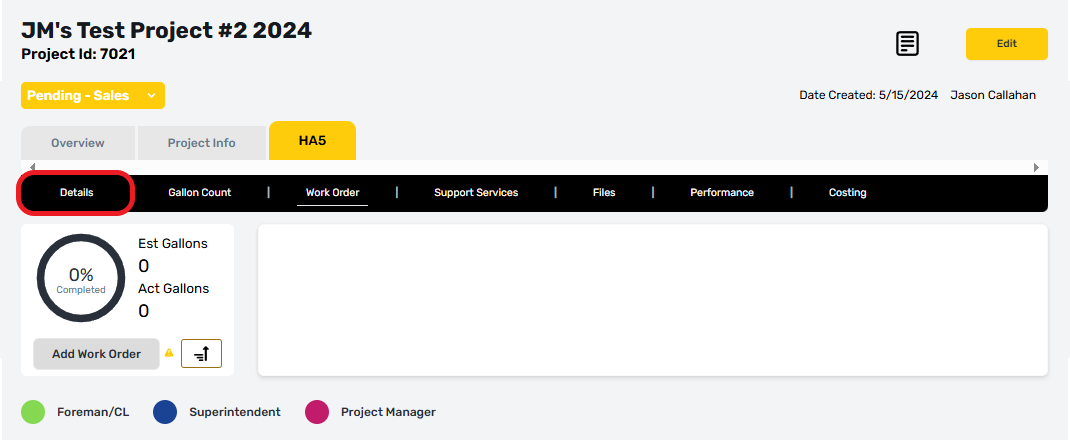
Service details tell us how much work that a service will encompass. This information is derived from a work site survey conducted during negotiations by the sales rep. The process to conduct a site survey or create proposal are not covered in this documentation. Questions about proposals or site surveys should be directed to the head of sales.
This article will show fields in view mode, but any user with permission can select the edit button to update these fields. While a project is under Pending - Sales status, only a sales rep or sales assistant are able to use the edit button.
Details are broken into four parts, each with related entry fields that are required to effectively plan work orders:
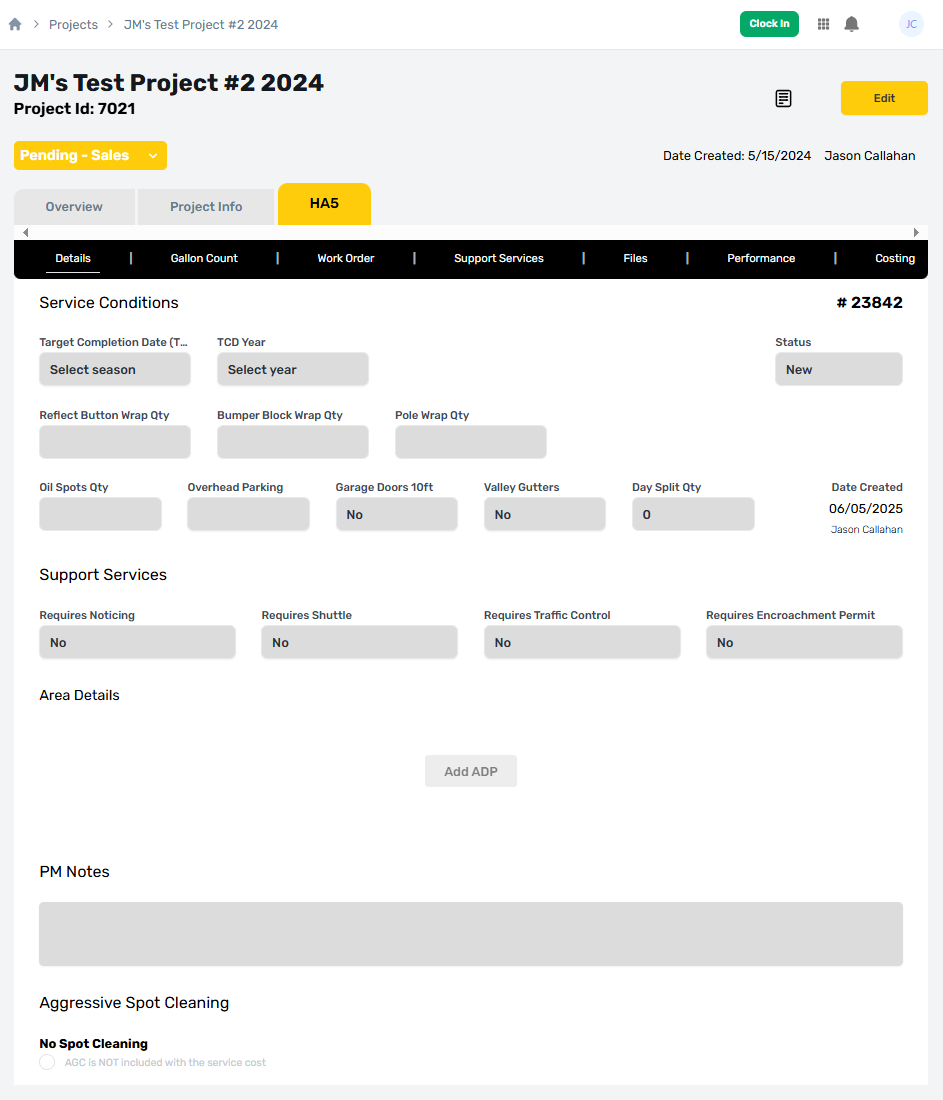
Service Conditions
Service Conditions provide scheduling constraints, and important modifiers that will affect the amount of time to complete a service. Some of these items are billable, but all of them must be listed on the proposal before being added here. The various fields shown here are defined below:
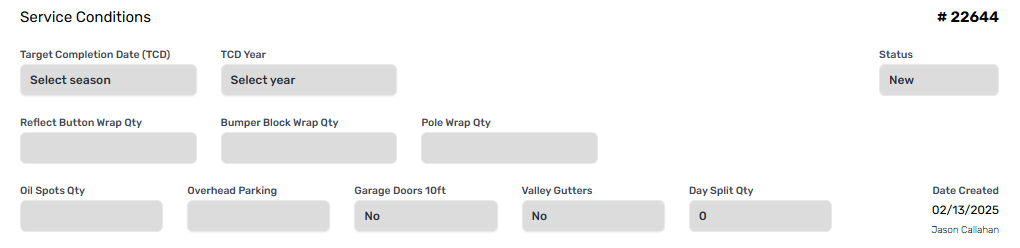
Service Conditions - Definition of Terms
A description of this form's fields are provided below. These fields can be one of three general categories:
(Required) if they must be answered to save the form, weather editing or creating new.
(Optional) are not required to save the form but may be required to receive approval or enable some functionality.
(Dependent) if a field's data is provided or derived from interaction with another part of the form. These fields cannot be directly filled out by the user but will respond to certain actions.
(Blocker) if a field is not currently required, but which will be required to meet specific status conditions.
(Toggle) when a field provides a binary choice with a default that can be changed.
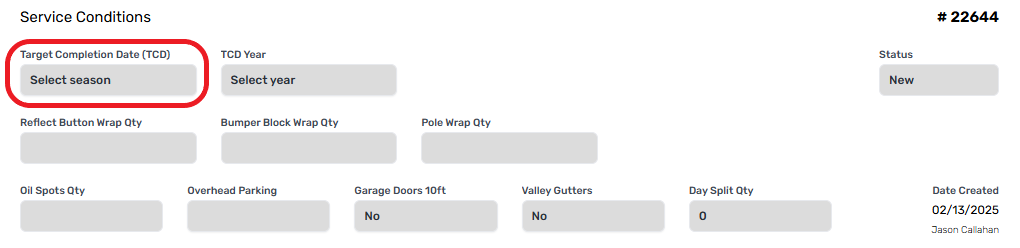
Target Completion Date (Blocker)
The Target Completion Date is the business quarter in which the given service should be completed. Exact dates are determined by the project manager after a project is approved. This field must be provided before a project’s status may be set to Review - PM.
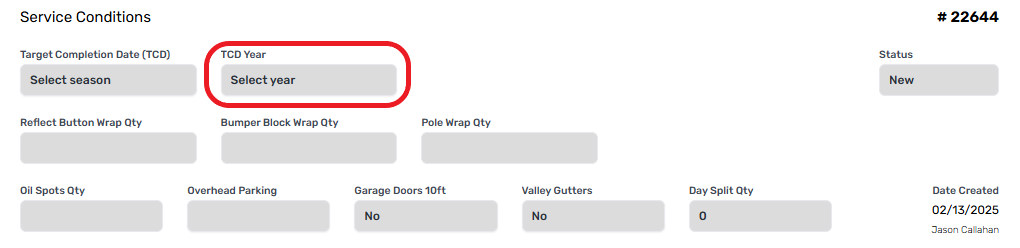
Target Completion Year (Blocker)
This is the year in which a given service should be completed. Some projects and services are created far in advance of their target dates. This field must be provided before a project’s status may be set to Review - PM.
Service Status
The Service Status drop down defines the current status for the whole service; it contains the following options:
New - The service has been created recently. This is the default status and remains New until after the project has been approved by a Project Manager.
Planning - A Project Manager has begun planning work orders for this service.
Scheduled - A date or date range has been set for work orders on this service to be completed.
In Progress - Scheduled Work Orders have received labor hours and are in the process of being completed.
Completed - All work orders are complete and have been closed by the Project Manager CheckOut process.
Cancelled - The service was cancelled before it was completed, and no further work is expected.
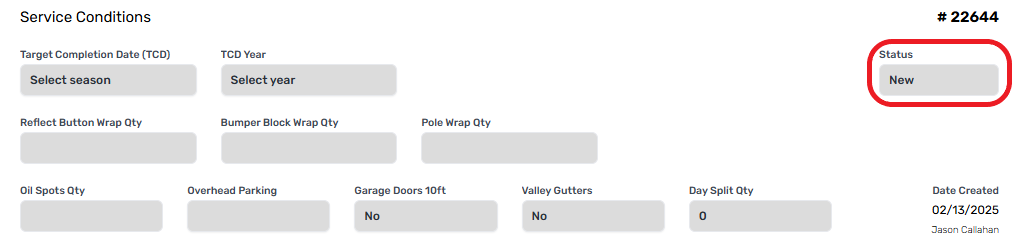
Some options are only available based on the project status. For example, projects in the planning stage will not allow services to be set as “Scheduled” or “In Progress”.
Reflect Button Wrap Qty
Reflect Buttons are the lane markers used on some roadways. These are usually plastic or metal reflectors that can endure extreme heat and age better than road paint. These buttons must be covered in advance of a surface treatment, a process that is done by hand and requires extra labor hours.
Bumper Block Wrap Qty
Bumper blocks are large concrete or plastic blocks placed at the end of parking stalls to prevent a vehicle from pulling too far forward. These must be wrapped in a protective cover before surface treatments can be applied.
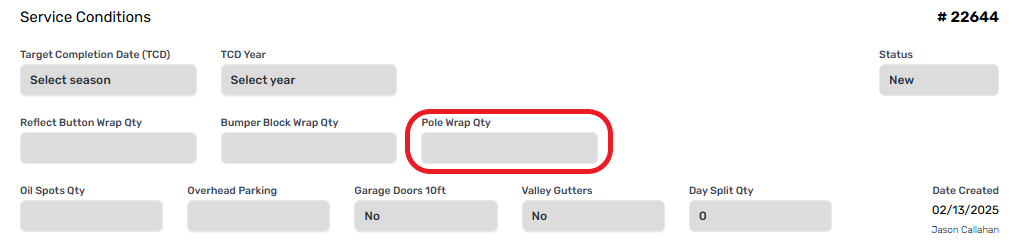
Pole Wrap Qty
Any Poles or Vertical Supports that intrude in a work area must be wrapped in a protective cover before surface treatments can be applied.
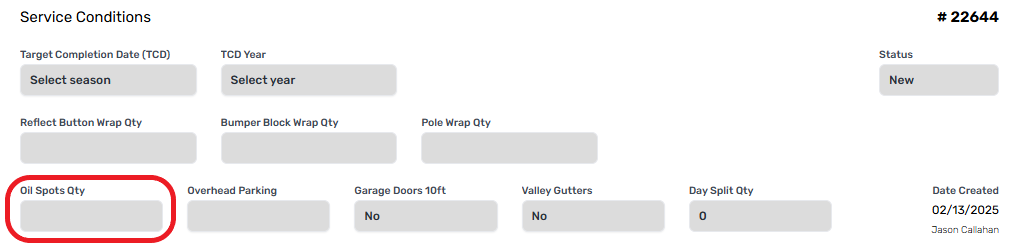
Oil Spots Qty
Oil spots prevent proper adhesion of surface treatments to the road and will cause a treatment to fail if not specially cleaned. Significant stains may require Aggressive Spot Cleaning, which has handled later on the details page.
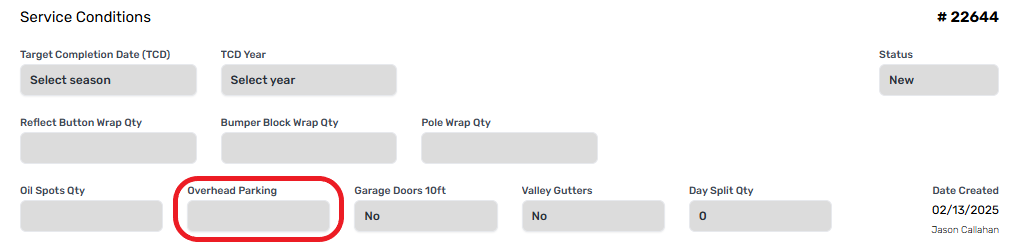
Overhead Parking
Lots with overhead parking structures, like sunshades or carports, often have low clearance that prevents applicator trucks from using their applicator bars, requiring application using a hand wand.
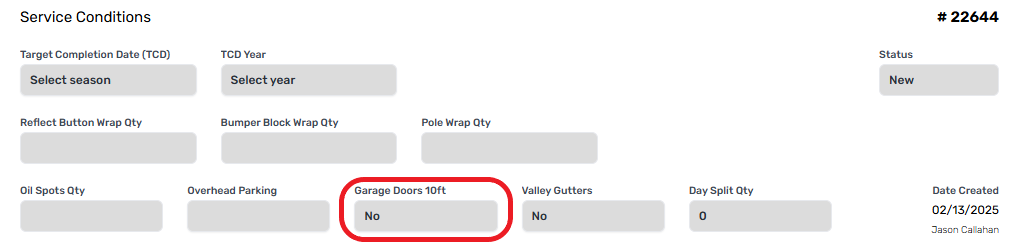
Garage Doors < 10ft
Work areas with garage doors less than 10 ft from the street require extra considerations to prevent overspray, occasionally needing a protective cover for doors that are especially close.
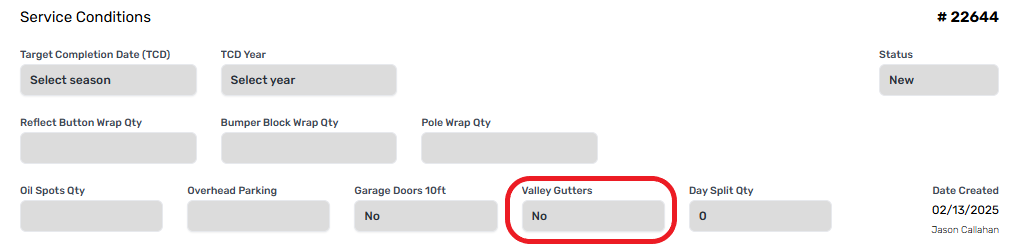
Valley Gutters
These wide and shallow concrete gutters often cross streets and parking lots to rapidly direct runoff from storms out of the area. These gutters require a protective cover before a surface treatment can be applied.
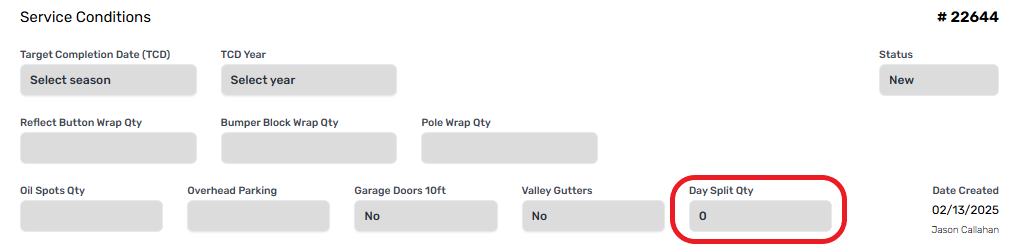
Day Split Qty
This modifier is used to manually require a project to be broken up over a set number of days, even if it could be done in a single day. If left blank, the number of days required are determined by the Project Manager during the Gallon Count orBox Countt process, which is covered separately. Day splits affect billing by requiring equipment to be committed to the area, so these details need to be included as part of the proposal.
Support Services
Support Services are dependent services which are required to support a main service. Services that require a road closure will usually require one or more of support services to fulfill various legal or client requirements.

Requires Noticing
Noticing, also called Canvassing, is the process of delivering a legal notification to residents or businesses that will be affected by a road closure. If a property will lose the use of a main access point for the duration of a Work Order, they have a right to be informed of this loss. This process is required at least 48-hours in advance of a closure, but clients can request additional notifications.

Requires Shuttle
Shuttles are used to help residents, guests, or customers get to their homes or businesses through particularly large work areas that prevent normal travel. Shuttles are typically lightweight golf carts that can travel across sensitive surfaces without causing damage. These vehicles require additional labor and planning to set up, so it’s important to establish the need for a shuttle as early as possible.

Requires Traffic Control
Major road closures, like a multi-lane street or main road, can require traffic control to accommodate. These include caution cones and closure/detour signs that help direct traffic around a work area to prevent congestion. Some large projects may require onsite traffic management and flaggers, which are included within a traffic control plan.

Requires Encroachment Permit
Encroachment permits are legal documents provided by a city or municipality that grant permission to close important roads. The requirement for these permits change based on the municipality but are typically not required for residential neighborhoods when the city or municipal authority is requesting work. These are typically required when work areas must encroach on or partially close a main street that could affect traffic on a larger scale.

Area Details
The Area Details section describes the total areas of work by their attributes or general location. Information in this section is derived from the Area Details Proposal (ADP), which is created during the survey process described above.
The process to add or create an ADP is covered separately. We will use a basic ADP to show the various form fields.
Area Details - Description of Terms
Totals Bar - ADP ID (Dependent)
A unique identifier assigned to each ADP. This number can be selected to view the ADP directly, providing additional information about each section.
Totals Bar - PM Sq Ft (Dependent)
Short for Project Manager Square Footage, this field indicates the total area that a project manager has assigned to a work order. It will be equal to the PM Sq Yd field to the immediate right.
Be Aware
The work order planning process takes place on the Gallon Count Sub-Tab, covered separately. PM information from that form is repeated here to aid in coordinating efforts between the sales rep and project manager.
Totals Bar - PM Sq Yd (Dependent)
Short for Project Manager Square Yardage, this field indicates the total area that a project manager has assigned to a work order. It will be equal to the PM Sq Ft field to the immediate left.
Totals Bar - Sales Sq Ft (Dependent)
Sales Square Feet represents the total measured area defined in the ADP and is the sum total of all the sections in an ADP added together. This field is also repeated within each section, where it represents to total area in that section.
Totals Bar - Sales Sq Yd (Dependent)
Sales Square Yd represents the same information shown in Sales Sq Ft but is converted into square yards.
Totals Bar - VAR Sq Ft (Dependent)
Short for Variance of Square Footage, this field shows the difference between the total area defined in the ADP, and the total area assigned to a WO by the Project Manager.
Totals Bar - VAR% (Dependent)
Variance Percentage shows the same information as VAR Sq Ft, but in a percentage, this is used for main decision making on the readiness of a service for completion. This field will change color based on the Variance detected:
RED - Variance Exceeds 5%, further work required.
Project status cannot be advanced from Pending - Sales.
No work orders may be created.
YELLOW - Acceptable Variance, signoff by sales and operations required.
GREEN - Good Variance, Planning and execution can continue without restriction.
Section Name
Allows a unique name associated with each section. By default, this information gets imported from the ADP, but it can be changed by a Project Manager if needed.
Sales Sq Ft
represents to total area defined by the Sales rep for an individual section.
Reg App Ratee
The Regional App Rate is a preset value automatically imported to the ADP based on where a project is located, and the condition of the asphalt, as defined in each section’s Area Lines, which are covered later in this article.
PM App Rate
The PM App Rate is a confirmation field required for the Project Manager to check before they can plan work orders for the service. Project Managers check the Sales Rep’s work to ensure its accurate, and if they agree with the assessment, type in the same rate as indicated on the Reg App Rate. The PM may override the Reg App Rate by typing in a different number.
Gallons (Dependent)
The gallons field is derived from the total area and App Rate fields for each section. It indicates the Estimated Gallons of surface treatment material required to complete each section. This number will also be reflected on the Gallon Count sub-tab, which is covered separately.
Area Details
The area details contain the specific, low level, detailed information about working conditions inside each section. Each section must have at least one area to be considered complete but can use any number required to effectively communicate the size of a given section.
Area Name
The area name uniquely identifies each area within a section, a default name is auto filled by the system but can be changed by the sales rep or project manager as needed, Area and Section names should match the information provided on the proposal where possible.
Perimeter
The total distance around the edges of an area. This value is useful for estimating noticing times, shuttle services, and other tasks.
Sales Sq Ft
The total square footage for this area.
Sales Sq Yd (Dependent)
The total square yardage calculated from the square footage provided.
PM Sq Ft
[Awaiting Info]
Surface State (Optional)
The overall composition of the road surface to be serviced. These attributes can affect the amount of material required per square foot. While optional, understanding the surface state helps ensure that warranty services can be avoided.
This drop down includes the following options:
High Ravel / Chip
[additional details optional]
Mod Ravel
[additional details optional]
Mild Ravel
[additional details optional]
No Ravel / Unsealed
[Additional details optional]
Previously Sealed
[Additional details optional]
Surface Cleanliness (Optional)
The amount of cleaning required to prepare asphalt surfaces for treatment. This drop down provides a scale from 0-8, with ten being the most cleaning required. Specific cleaning requirements are:
0 - No Cleaning (Very Rare)
1 - Blower Only (Rare)
2 - Blower + (Light) Hand Broom
3 - Blower + (Heavy) Hand Broom
4 - Blower + (Heavy) Hand Broom + Sweeper Pre-Clean
5 - Blower + (Heavy) Hand Broom + Power Broom
6 - Blower + (Heavy) Hand Broom + Power Broom + Sweeper Pre-clean
7 - Blower + (Heavy) Hand Broom + Power Broom + Shovel/Truck
8 - Blower + (Heavy) Hand Broom + Power Broom + Shovel/Truck + Water Advance
Crack/CCJ Cleanliness (Optional)
The amount of cleaning required to prepare cracks and concrete joints for surface treatment. This drop down provides a set of general options based on visible crack/CCJ conditions. Select the option that most closely represents the average condition of the area:
Debris Heavy - The crack is packed with heavy debris such that it will require intense effort to remove.
Debris Light - The crack is filled with light sand or other debris that can be easily removed.
No Cleaning Required - The crack does not require any advanced preparation for surface treatments.
Vegetation Dead - Cracks are packed with dead plants, weeds, or other organic material that has dried out.
Vegetation Light - Cracks have grass, light weeds, or leaves that need to be removed.
Vegetation Living - Cracks have vibrant green colonies of weeds, grass, or other plant matter that needs to be removed.
Reg. App Rate
Short for Regional Application Rate, this figure will change automatically based on the state and cleanliness of an area, the location, and Region. It represents the best estimate for effective use of materials based on treatment Performance over years.
PM Rate
The Project Manager Application Rate acts and an override and manual check on the regional application rate. Project Managers can use this field to override the Reg App Rate if required or can agree with this rate by typing in the same number.
Est. Gals
Estimated gallons uses the app rate and sales sq ft fields to calculate to total estimated gallons of surface treatment materials required to cover the area.
PM Notes
PM notes are available for project managers to leave notes for the Sales Rep and other relevant users. These notes do not appear on work orders and will only be visible to users with project access.

Aggressive Spot Cleaning
Aggressive Spot Cleaning is a specialized cleaning process separate from cleaning defined in the area details. This process is labor intensive, but sometimes necessary to ensure that a surface treatment properly binds to the asphalt surface beneath.

Like with Area Details, users must be in edit mode to add areas to this section. Select the Create New button to add an Aggressive Cleaning Area.
Area (Required)
The Area field refers to the name of the area in question, this can include location information if needed.

Sq Ft (Required)
Sq Ft refers to the total area requiring aggressive cleaning. This should be a single continuous area, with separate areas needing their own row.

Labor Hours
The estimated labor hours required to clean the area.

Area Delete
The delete icon can be used to remove an AGC line if necessary.

AGC Not Included
At the bottom of the Aggressive Spot Cleaning section is a small button that asks if the “AGC is NOT included with the service cost”. Selecting this button will bill aggressive spot cleaning separately from the surface treatment service. This option will be defined on the proposal and should match what is agreed to there.
